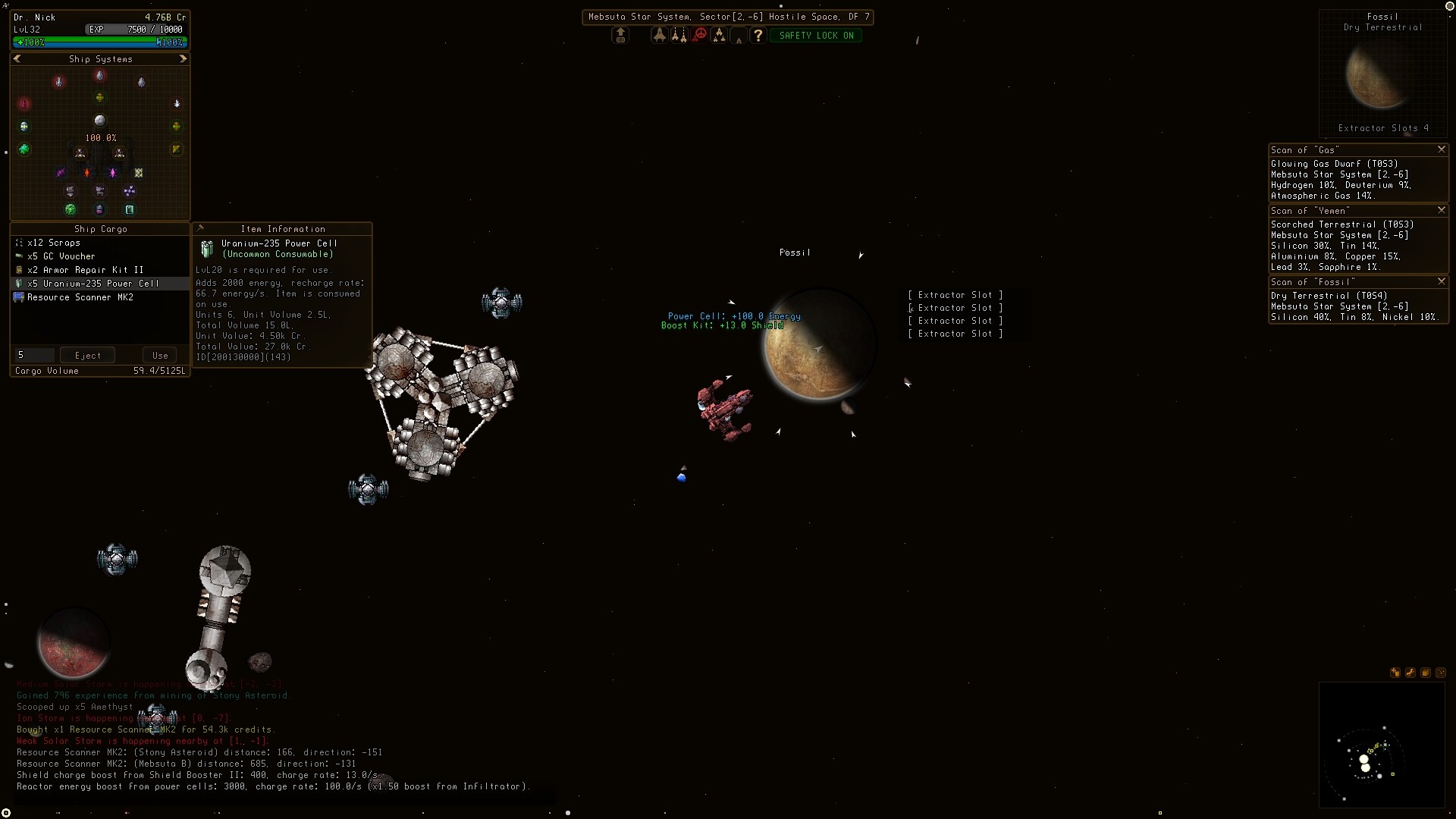
In Sector Space, planets host Extractors (Gas, Ice, Dune, Standard) that load every 15 minutes until the bay is full, Colonies produce the planet's resources plus GC Vouchers, player Stations can only be dropped outside Protected sectors, and Drones deploy for combat, repair, and tanking with class-based caps (Proprietor +1 Station Slot every 33 levels, Sentinel +1 Platform Slot every 33 levels, Templar +1 Platform and +1 Station at Level 34).
More context
Colonies and Stations both feed the passive income loop. Pair a high-quality planet with an Extraction Bay (cost over a million credits) or a cheap Resource Recovery Module consumable to actually pick up the output. Stations act as respawn points, so plan their location against your travel routes.
On this page
Run Extractors on every planet
Each planet has a limited number of Extractor slots. The four Extractor types are Gas, Ice, Dune, and Standard, and each one lists what resources it pulls from a planet in its tooltip. An Extractor loads its bay every 15 minutes, and if its bay is full it simply stops producing. Specialized scanner items called Planetary Scanners (best with a Deep Scanner) reveal the resource mix and abundance per planet, so scan first to know which Extractor type to drop.
Two collection methods pick up Extractor output:
- Extraction Bay on a Station: costs over a million credits and picks up everything from all Extractors within its range automatically when the player is nearby.
- Resource Recovery Module: a cheap consumable used while over the planet.
Different planets have different types, including Dry Terrestrial, Scorched Terrestrial, Glowing Gas Dwarf, Fossil, and Jungle, Desert, and Tundra biomes.
Place a Colony for resources and GC Vouchers
A Colony placed on a planet outputs every resource the planet has available AND produces GC Vouchers, which sell at Capital Stations at a 1:1 credit ratio. Higher-quality Colonies produce more goods and credits. To pull Colony output, a station needs an Administration Bay within range, again with its own distance limit.
Colonies are limited by the same per-system cap as Stations and Drones, so pick the planet with the richest scan before placing a Colony.
Stations, husks, and outposts
Stations turn into Husks when destroyed unless already a husk, in which case they are permanently gone, and any cargo inside is lost. Player-owned stations also act as respawn points, so place them on travel routes you will use often. Stations and Outposts are functionally identical with different stat and slot profiles; Stations typically have more slots while Outposts are cheaper and better suited to collecting or defense. NPC Outposts also respawn at a tier scaling with the player's skills and the relevant weapon skill; the relevant skill should be trained to keep them viable.
Deployment is limited by the local system cap, but the player can move to another region and deploy more drones or stations, which will stay until picked up or destroyed.
Deploy drones for combat, repair, and tanking
Repair drone
Loops onto itself and other repair drones in self-repair; redeploy to restore hull pool at class percentage.
Best for: Tanking because redeploying restores effective health
Hull drone
Provides hull repairs in combat and only self-repairs when deployed alone or with non-repair drones.
Best for: Pairing with armor or shield drones to avoid self-repair loop
Armor drone
Holds armor regen on the field; pairs cleanly with one hull or one shield drone.
Best for: Sustained armor fights
Shield drone
Maintains shields during combat and pairs cleanly with one hull or one armor drone.
Best for: Sustained shield fights
Read the deployment cap
Drones and Stations are limited by a per-system local cap. The player can leave the area, redeploy in another region, and drones will stay until picked up or destroyed. Plan a multi-region deployment when the cap stops you from filling the local system with the drones you want.